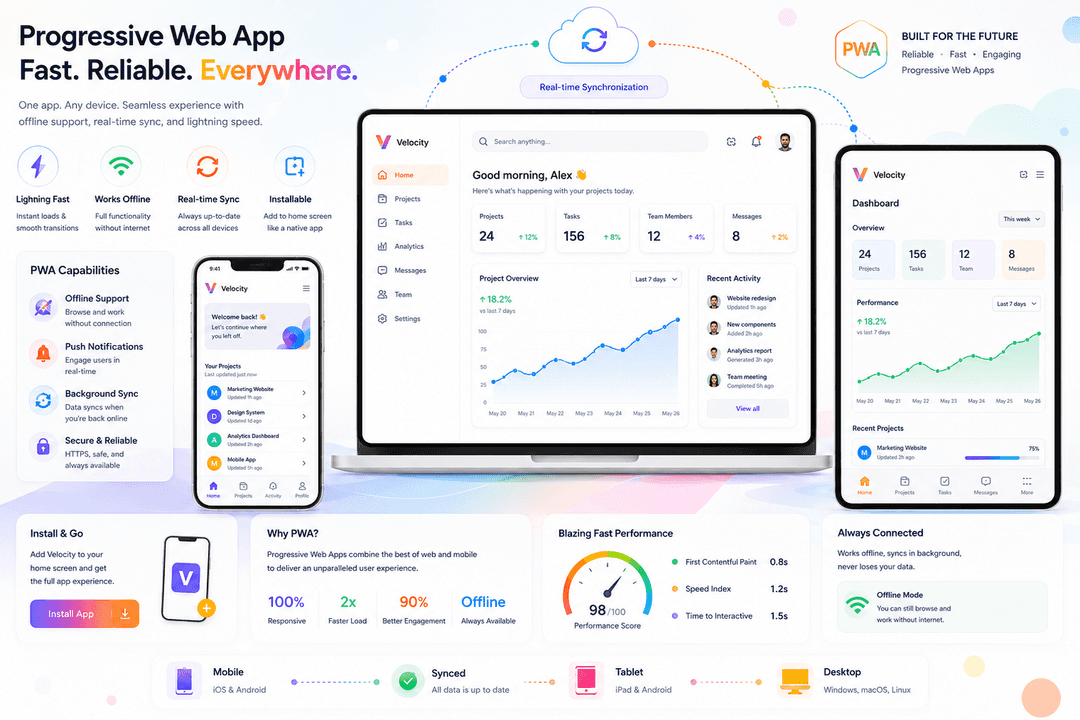
Web Development • 13 min read
Progressive Web Apps 2026: Complete Guide
Your complete 2026 guide to Progressive Web Apps — build offline-ready, app-like experiences without the App Store. Includes real implementation steps.
intro
Introduction: Why PWAs Are the Future of Mobile Web
The debate between web apps and native mobile apps has a new answer in 2026: Progressive Web Apps (PWAs).
PWAs combine the best of both worlds:
• The reach and accessibility of web applications
• The performance and experience of native apps
• Without the friction of app store downloads
In 2026, major platforms are embracing PWAs:
• Apple expanded PWA support on iOS (previously limited)
• Google makes PWA installation seamless
• Microsoft integrated PWAs into Windows
• Twitter, Spotify, Uber, and Pinterest all use PWAs
If you're building mobile-first applications, PWAs should be a core part of your strategy. This comprehensive guide explains what PWAs are, why they matter, and how to build them.
what is pwa
What is a Progressive Web App (PWA)?
A Progressive Web App is a web application that uses modern web technologies to deliver app-like experiences. PWAs are:
pwa vs native
PWAs vs Native Apps vs Traditional Web Apps
Comparison Table:
pwa technologies
Core Technologies Behind PWAs
PWAs are built on three core technologies:
pwa features
Essential PWA Features
Feature 1: Offline Functionality
This is the game-changer. Users expect to access your app even without internet.
Caching Strategies:
Cache First (Offline First):
• Check cache first
• If available, serve from cache
• If not in cache, fetch from server
Best for: Static assets (CSS, JS, images), not frequently updated content
Network First:
• Try to fetch from network
• If network fails, serve from cache
Best for: Content that changes frequently but needs latest version
Stale While Revalidate:
• Serve from cache immediately
• Fetch fresh version in background
• Update cache when fresh version arrives
Best for: Content that doesn't need latest version immediately
Feature 2: Fast Performance
PWAs load instantly, even on slow networks.
Performance Techniques:
• Code splitting (load only needed code)
• Lazy loading (load images/content when needed)
• Compression (gzip, Brotli)
• CDN for global delivery
• Minimal third-party scripts
• Image optimization
Target Metrics:
• First Contentful Paint (FCP): < 1 second
• Largest Contentful Paint (LCP): < 2.5 seconds
• Cumulative Layout Shift (CLS): < 0.1
Feature 3: Push Notifications
Re-engage users without forcing them to open your app.
Use Cases:
• New message notifications
• Order updates and tracking
• Promotional offers
• Reminders and alerts
• News and content updates
Best Practices:
• Ask permission properly (don't spam)
• Send valuable, timely notifications
• Personalize based on user preferences
• Give users control to disable
• Test timing (not too early morning, late night)
Feature 4: Home Screen Installation
Users can add your app to home screen like native apps.
Installation Triggers:
• Automatic prompt (after visiting 2+ times)
• Manual 'Install' button
• Share dialog (iOS)
• Browser menu (Android)
Benefits:
• One-click access (no URL typing)
• Shows in app drawer like native apps
• Deep linking (URLs open app directly)
• Increased retention and re-engagement
building pwa
How to Build a PWA: Step-by-Step
Option 1: Using a Framework (Recommended for Complex Apps)
real examples
Real-World PWA Examples & Case Studies
Twitter (X) - Twitter Lite
• 65% smaller app size
pwa performance
PWA Performance Optimization
Optimization 1: Code Splitting
Don't load all code at once. Split by route:
challenges
PWA Challenges & Solutions
Challenge 1: iOS Support
Issue: iOS historically had limited PWA support.
Solution: Apple improved PWA support in iOS 15.1+. Now supports:
• Home screen installation
• Offline functionality
• Push notifications (coming soon)
• Install prompts
Status: Not all features available, but improving rapidly.
Challenge 2: Discoverability
Issue: Native apps get visibility in app stores. PWAs don't.
Solution:
• Implement deep linking (URLs open your PWA)
• Optimize for search (PWAs can be indexed)
• Promote web presence through content marketing
• Use 'Install App' prompts strategically
Challenge 3: Monetization
Issue: PWAs bypass app store revenue models.
Solution:
• In-app purchases via Web Payments API
• Subscription models via Stripe, etc.
• Advertising
• Freemium models
Challenge 4: Browser Support
Issue: Different browsers support different PWA features.
Solution:
• Use feature detection (check if feature exists before using)
• Provide fallbacks for unsupported features
• Test on multiple browsers
• Use progressive enhancement (basic experience works everywhere)
pwa best practices
PWA Best Practices for 2026
1. Prioritize Mobile Performance
• Load time < 3 seconds on 4G
future
Future of PWAs: 2027 and Beyond
Predicted PWA Developments:
conclusion
Conclusion: PWAs Are Essential in 2026
Progressive Web Apps represent the future of mobile applications. They combine the reach of the web with the power of native apps.
Frequently Asked Questions
Do I need to build both a PWA and a native app?
Not necessarily. For most use cases, a PWA can replace native apps. Consider native apps only if you need features not available in PWAs (advanced gaming, deep OS integration, etc.).
Will users actually install my PWA?
Yes, if you show the install prompt at the right time and make benefits clear. Studies show 30-40% of users install PWAs when prompted. Twitter Lite saw 250% increase in engagement after PWA launch.
How much does it cost to build a PWA?
30-50% less than native apps since you build once instead of twice (iOS + Android). Development cost depends on complexity, not platform.
Can PWAs access hardware (camera, microphone, etc.)?
Yes, PWAs can access camera, microphone, location, contacts, and more. Permissions work like native apps—users control access.
Will my PWA work offline completely?
Yes, but what you offer offline depends on your caching strategy. You can cache pages, data, and assets. Real-time features require internet.
What's the best framework to build a PWA?
Next.js (React), Nuxt (Vue), and SvelteKit are all excellent. Next.js is most popular. Choose based on your team's expertise.
Ready to Build a PWA?
Our PWA experts will help you build a fast, offline-first web app that delivers native app experiences. Get started today.
Schedule Your PWA Consultation