Web Development • 12 min read
AI Web Development: Transforming Coding in 2026
How AI is transforming web development in 2026 — coding tools, AI-powered design, and implementation steps to boost your dev productivity by 3x.
intro
Introduction: The AI Revolution in Web Development
Artificial Intelligence has moved beyond automation—it's now the foundation of modern web development. In 2026, over 70% of developers use AI-assisted coding tools daily, and this number continues to grow exponentially.
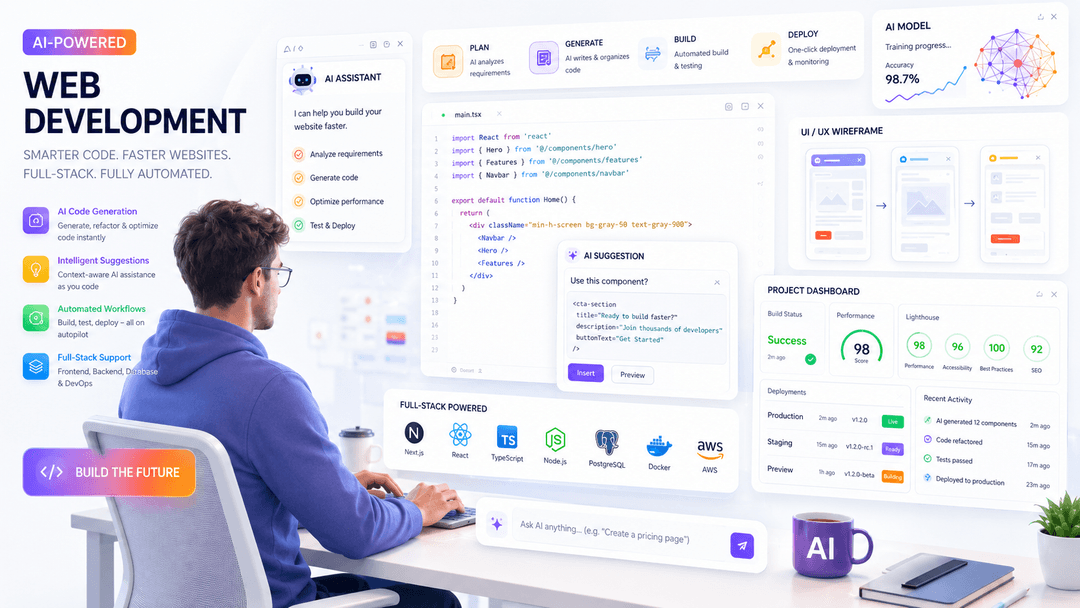
AI tools like GitHub Copilot, Cursor, and Codeium aren't just autocomplete—they suggest entire functions, flag edge cases, scaffold full-stack applications, and even generate UI from design files or natural language prompts.
The question is no longer 'Should we use AI in development?' but rather 'How do we leverage AI to build faster, smarter, and more innovative web applications?'
This comprehensive guide explores AI-powered web development, the tools transforming the industry, and how you can implement AI-first strategies in your projects today.
what is ai first
What is AI-First Development?
AI-first development means designing and building applications with AI as a core component from day one, not as an afterthought.
Instead of building a website and then adding AI features later, AI-first development integrates AI into:
ai coding tools
Top AI Coding Tools Revolutionizing Web Development in 2026
1. GitHub Copilot (Most Popular)
GitHub Copilot is an AI pair programmer that suggests code as you type. It understands context and can generate:
ai design generation
AI-Powered Design: From Designs to Code
One of the most exciting AI developments is the ability to generate production-ready code from design files.
Tools like Figma with AI plugins can:
ai personalization
Building AI-Powered Personalization
Modern users expect personalized experiences. AI makes this possible at scale.
ai automation
AI Automation for Web Applications
Beyond code generation, AI automates critical web application functions:
1. AI Chatbots & Customer Support
Deploy 24/7 customer service without hiring support staff.
Modern AI chatbots can:
• Answer 80% of customer questions automatically
• Handle complex multi-turn conversations
• Route to human agents when needed
• Integrate with CRM systems
• Learn from interactions over time
Tools: Intercom, Zendesk, custom ChatGPT integration
2. AI-Powered Search
Traditional search = user types keywords and gets results.
AI-powered search = conversational, contextual, and intelligent.
Users can ask natural language questions like: 'Show me running shoes under $100 that are good for flat feet'
AI understands intent and returns highly relevant results.
3. Lead Capture & Qualification
AI automatically:
• Identifies high-intent visitors
• Captures leads through smart forms (asking only necessary questions)
• Qualifies leads based on predefined criteria
• Routes to appropriate sales team
• Sends automated follow-ups
4. A/B Testing Automation
Instead of manually testing variations, AI can:
• Generate variations automatically
• Run thousands of tests simultaneously
• Adapt in real-time to winning variations
• Predict optimal changes before testing
Result: 30-50% improvement in conversion rates
ai testing debugging
AI-Powered Testing & Bug Detection
AI is revolutionizing quality assurance:
ai content creation
AI for Content Creation & SEO
Content is crucial for SEO and user engagement. AI accelerates content creation:
implementing ai
How to Implement AI in Your Web Projects: Step-by-Step
Step 1: Start with Code Generation Tools
• Begin with GitHub Copilot or Cursor
roi productivity
Real ROI: How Much Faster is AI Development?
Data from real development teams using AI tools:
Coding Speed
• GitHub Copilot users: 40-55% faster code writing
• Cursor users: 50-70% faster project completion
• Teams using AI: 2-3x faster feature development
Testing & Debugging
• AI-generated tests: 70% reduction in manual testing time
• Bug detection with AI: 60% fewer bugs in production
• CI/CD with AI analysis: 40% faster deployment cycles
Content Creation
• AI blog drafts: 10 minutes per article (vs 2-3 hours traditional)
• Product descriptions: 5 minutes per 100 items (vs 30 minutes traditional)
• SEO optimization: 80% automated with AI suggestions
Business Impact
Companies implementing AI-first development see:
• 30-50% reduction in time-to-market
• 25-40% decrease in development costs
• 20-35% improvement in code quality
• 15-25% increase in developer satisfaction (less repetitive work)
challenges
Challenges & Best Practices
Challenge 1: Over-Reliance on AI
Issue: Accepting all AI suggestions without review
future
The Future of AI in Web Development
Looking ahead to 2027-2028:
conclusion
Conclusion: The Time to Adopt AI is Now
AI-powered web development isn't a futuristic concept—it's happening right now in 2026.
Developers and teams that embrace AI tools will:
Frequently Asked Questions
Will AI replace web developers?
No. AI enhances developers by automating repetitive tasks. Developers who use AI effectively will be more valuable than those who don't. The focus shifts from mechanical coding to strategy, architecture, and user experience.
Is it safe to use AI tools like GitHub Copilot?
Yes, when used responsibly. Always review AI-generated code, be aware of licensing implications, and use enterprise versions for proprietary code. GitHub Copilot for Enterprise includes additional security features.
How much does AI code generation cost?
GitHub Copilot: $10/month per developer. Cursor: Free tier available, paid plans from $20/month. Many AI APIs charge based on usage. Costs typically pay for themselves through increased productivity.
Can AI generate production-ready code?
AI can generate high-quality code, but it requires review and testing. Think of it as generating a solid first draft that you refine. The better your prompts, the better the output.
How do I learn to use AI tools effectively?
Start with the tool's documentation and tutorials. Practice writing clear, detailed prompts. Use AI for small tasks first, then tackle larger projects. Join developer communities to learn from others' experiences.
What's the best AI tool for beginners?
GitHub Copilot is the most popular and beginner-friendly. Cursor is excellent if you want a complete IDE with AI built-in. ChatGPT is great for learning and asking questions about code.
Ready to Leverage AI for Your Web Project?
Our team builds AI-powered web applications that deliver faster, smarter, and more innovative solutions. Let's discuss how AI can accelerate your project.
Schedule Your AI Strategy Session